ChatGPT Projects for Client Work: What Replaces Custom GPTs
- Published
- November 20, 2026
- Reading
- 13 min read
- Share
In This Piece
- The Short Version
- What Is a ChatGPT Project?
- ChatGPT Projects vs GPTs: Which Fits Client Work?
- Projects vs Chats: When Do You Need a Project?
- How Do You Set Up ChatGPT Projects for Each Client?
- What Should Go in a Client's Project?
- How Does Sharing and Memory Work in a Shared Project?
- Is Client Material Safe in a ChatGPT Project?
- What Doesn't a ChatGPT Project Do for Client Work?
- How Do You Move a Client GPT Into a Project Before December 11?
- Where GoMimic Fits
- Questions People Ask
For client work, a ChatGPT project per client is what replaces a custom GPT per client, and OpenAI says as much: its retirement FAQ calls a project "a good fit" if you used a GPT for ongoing work like writing. A project holds one client's instructions, files, and chats, but it stops at the draft, so the client's yes and the version they approved still need somewhere to live.
The Short Version
- Our view first: a human thought leads, and AI follows. A project works best when it's full of the client's own material and their take, not a long paragraph of instructions.
- Keeping each client's notes in ChatGPT? Give every client one project, with project-only memory.
- Built a custom GPT per client? Move it into a project before December 11. OpenAI's plugin route suits tasks, not one client's voice.
- Not sure a project beats a plain chat or a plugin? Here's how they compare for client work.
- On Free, Plus, or Pro? Check one data setting before any client file goes in.
- Need the client's yes on record, a voice that gets better with each approval, and the approved version handed off? That's the part a project can't do, and it's what GoMimic is for.
Custom GPTs stop working on December 11, 2026. Every fact about ChatGPT below comes from OpenAI's own help pages, linked as we go, and was checked on November 20, 2026.

What Is a ChatGPT Project?
A ChatGPT project is a workspace that keeps related chats, files, and instructions together. Start a chat inside it and ChatGPT already has the background. OpenAI suggests reusing one for recurring tasks, "such as weekly research or content drafts" (OpenAI).
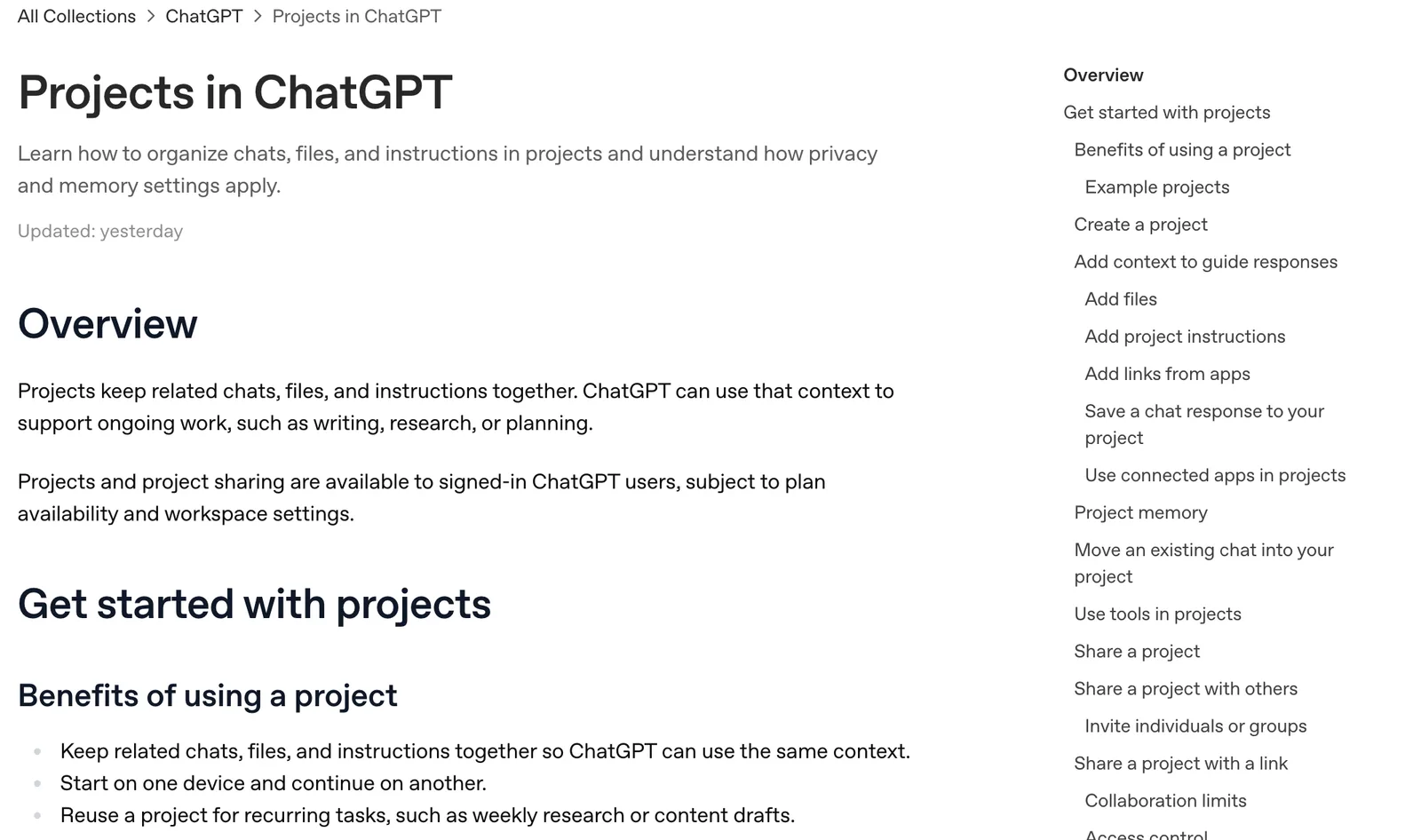
Three parts matter for client work:
- Instructions. You add them under Project settings. They apply only inside that project and override your own custom instructions, so one client's tone never leaks into another's chats.
- Sources. Files you upload (PDFs, spreadsheets, docs, images, or pasted text), links to Google Drive files and folders or Slack channels, and any answer you save with Add to Project Sources.
- Chats. Every chat in the project starts from its instructions and sources, and can draw on the project's other chats.
Is it free? Yes. Projects come with every qualifying plan at no extra cost, Free included, and you can make as many as you like. The limit you'll meet is files: 5 per project on Free, 25 on Go and Plus, and 40 on Pro, Business, Enterprise, and Edu, uploaded up to 10 at a time (OpenAI).
ChatGPT Projects vs GPTs: Which Fits Client Work?
They were built for different jobs. OpenAI's own comparison calls a GPT "single player": a fixed setup one person curates. A shared project is the opposite. Several people work in it, and it changes as they add files, chats, and instructions (OpenAI).
Client work is the second kind. A client's voice doesn't sit still. They reposition, they correct a phrase, they approve one post and send another back, and the people writing for them change. A project can take all of that in. A GPT needed its owner to edit it every time.
And now the choice is made for you. Custom GPTs retire on December 11, 2026, when they and their pages "become inaccessible". OpenAI's migration tool turns a GPT into a plugin. But the same FAQ asks "Can I use a project instead?" and answers yes for ongoing work.
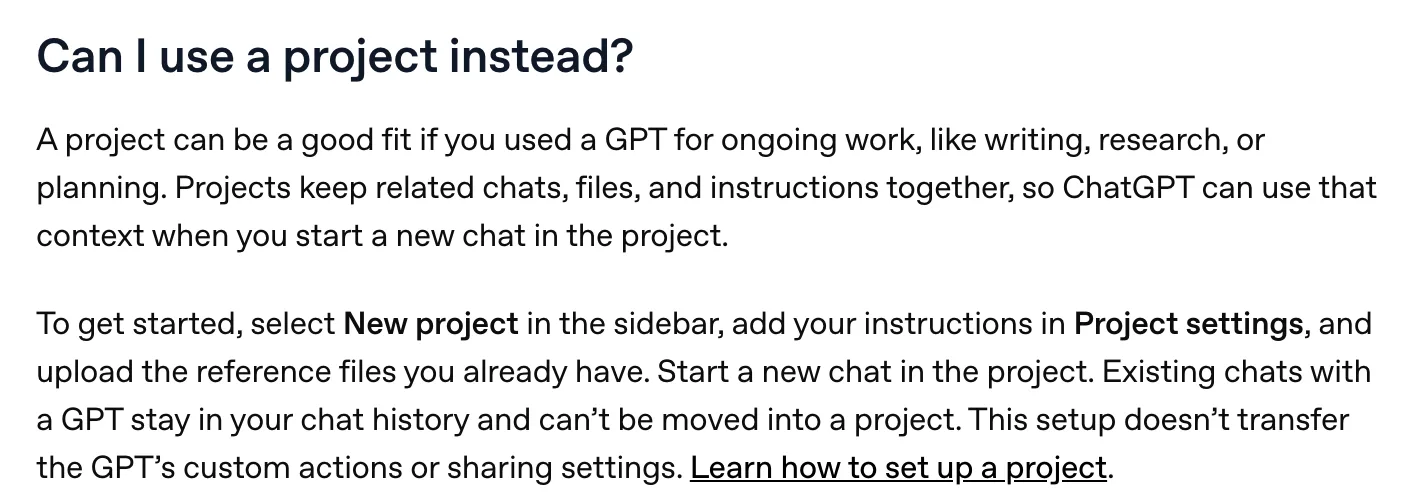
So where does a plugin fit? A plugin bundles skills (reusable instructions) and connected apps, and ChatGPT uses it when it seems relevant or when you call it with an @ mention. That's good for a task you repeat the same way for everyone, like a weekly report format. It's a weaker fit for one client's voice, because you want every message in that client's chats to start from their notes, not only the ones where a plugin happens to run. We cover the plugin route, and every date, in what the custom GPT retirement means.
Projects vs Chats: When Do You Need a Project?
OpenAI's own rule of thumb is simple. Use a project when the work will carry on over time, produce more than one output, or lean on the same files. Use a plain chat when the job is self-contained (ChatGPT Learn).
Every client on your roster passes that test. Their work never stops, it always produces more than one piece, and it always leans on the same material. A one-off question about a headline? That can stay a chat.
How Do You Set Up ChatGPT Projects for Each Client?
One client, one project, named the same way every time. Set it up in this order.
- Create it. Select New Project in the sidebar and name it after the client. Use one icon and color for every client project, so they stand apart from your own.
- Set the memory first. In Project settings, choose project-only memory. Its chats can then use each other, but not chats outside it, and your own saved memories stay out (OpenAI). Change it later and OpenAI says it can take a few hours to apply.
- Upload the material. The next section covers what goes in.
- Write the instructions. Keep them short, and point to the files rather than repeating them.
- Test it. Ask for two pieces you've already delivered for this client, and compare. If it's off, fix the material before the instructions.
- Share it with the team. Writers get chat access. The account lead gets edit access.

What Should Go in a Client's Project?
At GoMimic we think a human thought should lead and AI should follow it. In a project, that means what you put in matters more than the instructions you write around it. Give it rich material and the client's own take, and there's less room for the draft to make things up. Give it a paragraph of adjectives and it'll fill the gaps. Confidently.
So fill the files first:
- Six to ten pieces the client approved, in the formats you create most. These show how they write far better than any description of it.
- The words they never use, in one short file, with the ones they've corrected you on at the top.
- Their facts: what they sell, who they sell to, names and titles spelled their way, and claims they can and can't make.
- Every change they've asked for. "Don't call us a firm." "Never mention pricing." These usually live in one person's inbox until someone writes them down.
- This month's source material, like a call transcript or the post you're turning into something else. When ChatGPT gives you something worth keeping, save it with Add to Project Sources.
Then the instructions: two or three sentences on who the client writes for and how they sound, and one line saying which file to read first. Long instructions that restate the files drift out of date, because someone updates one and forgets the other.
Watch the file count, too. On Plus, 25 files fill up fast once a client has a few months of approved work. Combine older approved posts into one document per format.
How Does Sharing and Memory Work in a Shared Project?
Select Share in the project, then invite people one by one with chat access or edit access (OpenAI). Chat access lets someone use the project's chats, files, and instructions. Edit access also lets them change the instructions, add or remove files, and invite others. Only the owner can remove people.
Business, Enterprise, and Edu workspaces can also invite groups. On personal plans, you can add 5 people on Free, 10 on Go and Plus, and 100 on Pro, and a workspace project holds up to 100.
Then three details people tend to miss:
- Shared projects only remember what's inside them. OpenAI sets every shared project to project-only memory, for good. That's what you want for client work.
- Two people can't write in one chat at once. A teammate can branch a chat to try another direction, and the original stays as it was.
- Deleting a project is permanent. The chats, instructions, and files kept only in it go, for everyone. Decide who owns each client's project, and keep the client's material somewhere else too.
Is Client Material Safe in a ChatGPT Project?
It depends on your plan, so check before anything goes in. On Business, Enterprise, and Edu, OpenAI says that by default it doesn't use workspace content "to train its models". On Free, Plus, and Pro, it says it "may use information accessed from projects to train our models" if the setting "Improve the model for everyone" is on (OpenAI).
If you run client work on a personal plan, turn that setting off first. Then read your client contracts for anything about where their material can go.
What Doesn't a ChatGPT Project Do for Client Work?
A project fixes where a client's notes live. That's it. And across a long client list, the rest of the job is where the hours go.
- It can't get the client's yes. Anyone joining a shared project needs a logged-in ChatGPT account, and we found nothing on OpenAI's projects page about a client approving a post. So sign-off moves to email or a doc.
- It doesn't keep the approved version apart. A project holds every draft. Whoever hands the post over has to work out which one the client said yes to.
- A client's yes doesn't feed the next draft. We found nothing on OpenAI's projects page that treats an approved post differently from any other chat, and OpenAI says you can't see a list of what a project remembers. To make the next draft closer, someone edits the files.
- Someone has to keep it current. When a client repositions, the files say the old thing until a person changes them. Twenty clients, twenty projects to tend.
You might think a tidier project fixes that. It helps with the writing. It can't hand the client a link, record their answer, or lock what they approved. That's a different job, and it's the one clients actually notice.
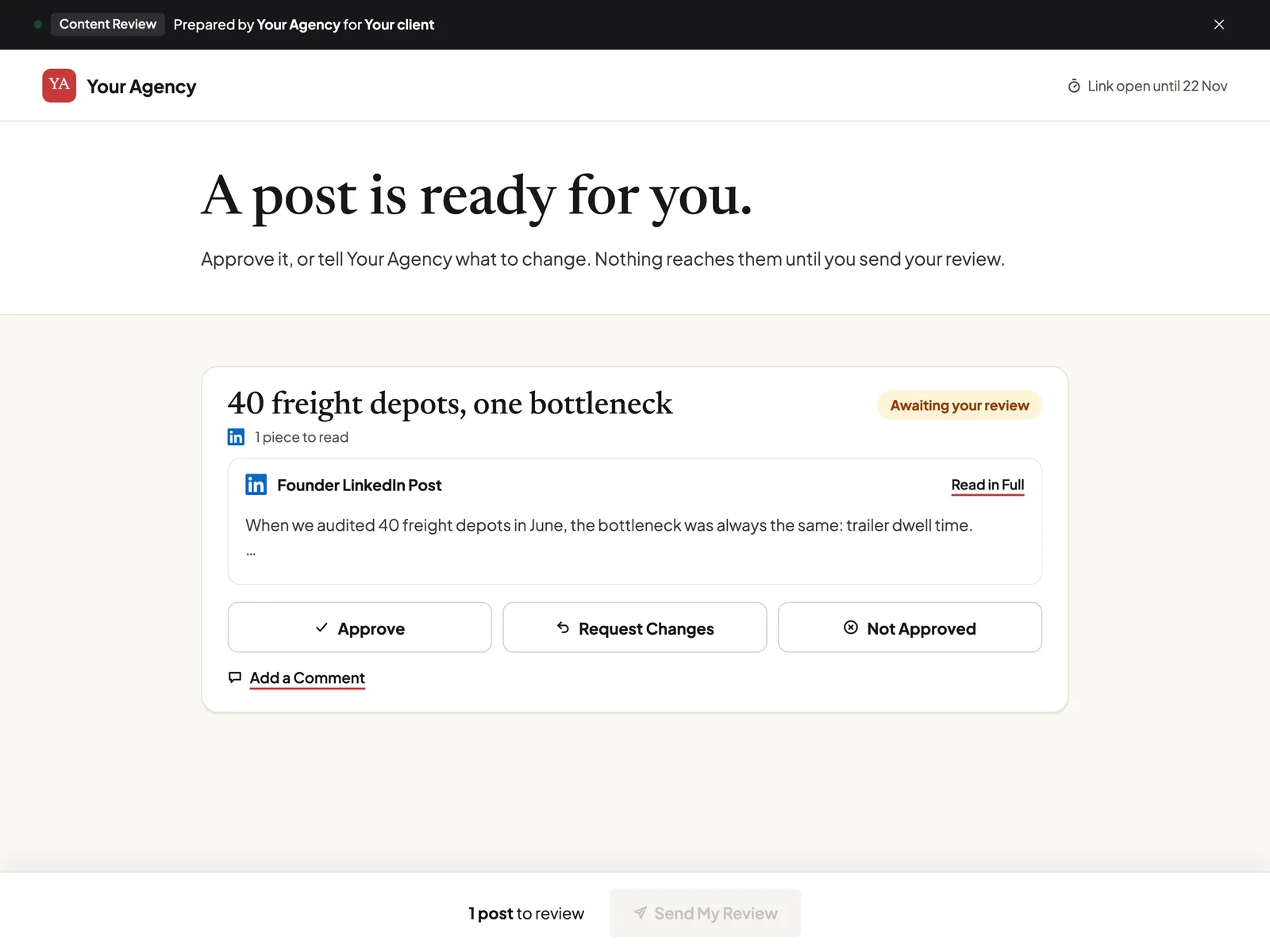
We go further into each of these in where ChatGPT strains across a roster of clients, including a sign-off record you can keep by hand.
How Do You Move a Client GPT Into a Project Before December 11?
It takes a few minutes per client, and OpenAI's FAQ lays out the same route (OpenAI).
- Copy the GPT out. Open it in the editor, copy the instructions into a document, and download every knowledge file. Do it now. After December 11, the GPT is gone.
- Create the client's project, with project-only memory.
- Paste and upload. Instructions into Project settings, files into the project.
- Test it with two requests you already know the right answer to.
- Share it, and tell the team that new chats for this client start in the project.

Two limits to plan around. Chats you had with a GPT can't move into a project, so any decision buried in an old chat needs copying out by hand. And the GPT's custom actions and sharing settings don't come across. OpenAI says your old GPT conversations stay readable after retirement.
If a client GPT called another service through an action, the custom GPT retirement guide covers rebuilding it.
Material Over Instructions
What you put in a client's project matters more than the instructions you write around it.
Where GoMimic Fits
Create client content in each client's voice. Get it approved. Deliver it. GoMimic is the Connected Content System for Client Work, built for content worth putting your client's name on. We make it, so weigh what we say about it accordingly.
If your client projects exist to turn each client's material into their posts, newsletters, and articles, GoMimic does that job and the two after it, which a project can't.
- The client's thought goes in first. A blog post, article, or newsletter starts from Your Original Take: what your client thinks and what the piece is for. Every piece uses the facts and rules you keep for that client.
- The client is the unit, not the chat. You add a client once. Their voice, rules, facts, and approved work sit with the client, whoever on the team is writing.
- The voice gets better as you work. Each client's voice gets better with every piece you create and every approval, so there's less to fix each time. Every habit it learns shows the posts it came from, and your team decides what to keep.
- The client says yes on one link. They review by link, with no login, and answer post by post. Every decision is recorded, with who and when.
- The approved version is what goes out. Approved text locks. It can be copied, saved to Google Drive or Notion, sent to Slack, sent as a draft to Buffer, Kit, or Mailchimp, or passed to Zapier through a webhook. GoMimic never posts.
You don't start from nothing. Paste a custom GPT's instructions, or a project's files, and you get back suggestions to add or skip: Business Facts, rules, and Sounds Like Us pieces.
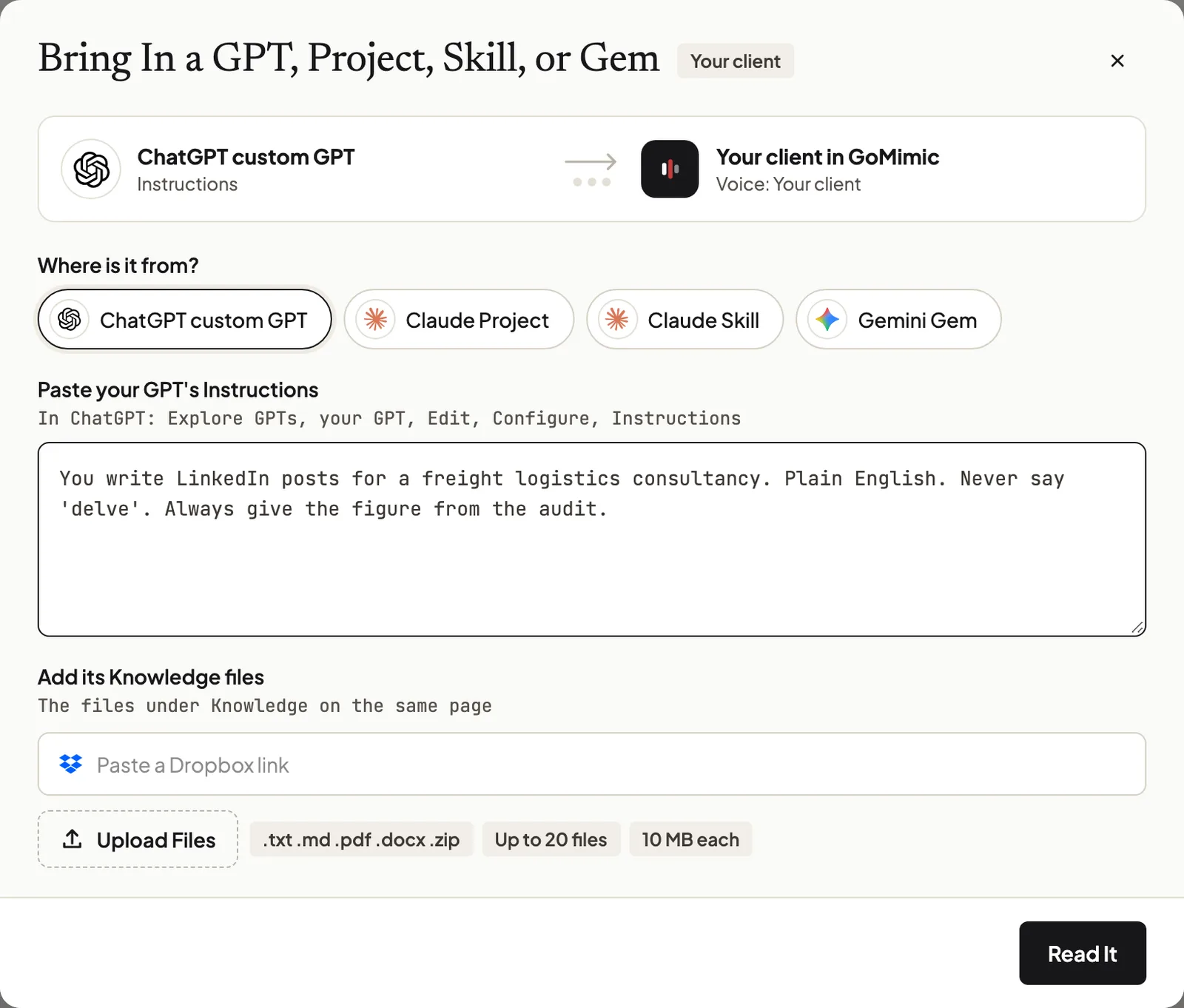
Where it falls short: it isn't a place to think out loud. For research, outlines, and open questions, a ChatGPT project is the better tool, and plenty of agencies will keep both. It creates from what you give it, and a blog post or article only from your client's own take. It won't plan their content strategy, and it doesn't schedule or post anywhere.
You can try it on one of your own client posts without an account.
Questions People Ask
What are ChatGPT Projects?+
Workspaces that keep related chats, files, and instructions together, so ChatGPT starts each chat with the same background. For an agency, one project per client keeps that client's material and instructions apart from everyone else's.
Is ChatGPT Projects free?+
Yes. Projects come with every qualifying ChatGPT plan at no extra cost, Free included. On Free, a project holds 5 files and you can share it with 5 people; paid plans allow more.
What is the best way to use ChatGPT Projects?+
One project per ongoing body of work. For an agency that means one per client, with project-only memory, the client's approved pieces and never-say list as files, and short instructions that point to those files.
What's the difference between chats and Projects in ChatGPT?+
A chat stands alone. A project groups chats with shared files and instructions, so each new chat starts from the same background. OpenAI suggests a project when work continues over time or leans on the same files.
Are ChatGPT Projects replacing custom GPTs?+
Not officially. OpenAI's migration route turns a GPT into a plugin. But its retirement FAQ says a project can be a good fit if you used a GPT for ongoing work like writing, which covers most client GPTs.
How does memory work in ChatGPT Projects?+
A project can use default memory or project-only memory. With project-only memory, its chats can use each other but nothing outside the project. Shared projects always use project-only memory.
Can a client join my ChatGPT project to approve posts?+
Only with a logged-in ChatGPT account, and even then a project has no approve button. We found nothing on OpenAI's projects page for a client to approve a post, so sign-off and its record sit somewhere else.
Can I move my chats with a custom GPT into a project?+
No. OpenAI says chats created with a GPT can't be moved into a project. Copy anything you need from them by hand, and start new chats inside the project.
Written by the GoMimic team
GoMimic helps you create client content, get it approved, and deliver it, in each client’s voice.
Why It WorksMore from GoMimic
Custom GPTs Are Retiring on December 11: What It Means and What to Do
Custom GPTs are retiring on December 11, 2026. What stops working, how to move yours to a plugin or a ChatGPT project, and what to do for client work.
Jasper Alternatives for Client Work: The 2026 Guide
Seven Jasper alternatives for client work, compared on client approval, client voices, and what happens to the bill as you add clients and people.